Scripture, set to be read. A whole research desk, one click beneath it.
Dialogue on its own rails, poetry in its own lines. Click a verse number and twelve
commentaries answer; double-click a word and the Greek appears. All of it offline, in one window.
$59 $19 launch special · one-time purchase · King James Version · macOS 14+ · works fully offline
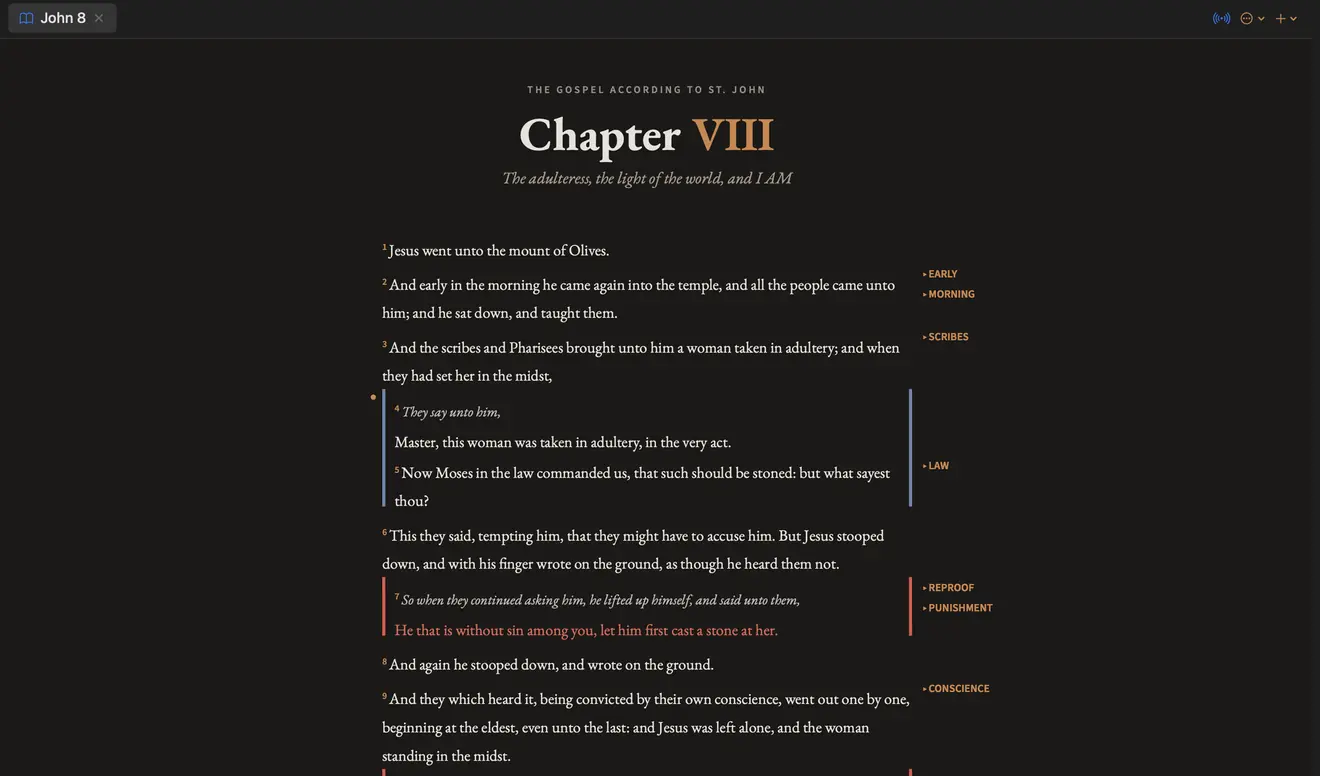
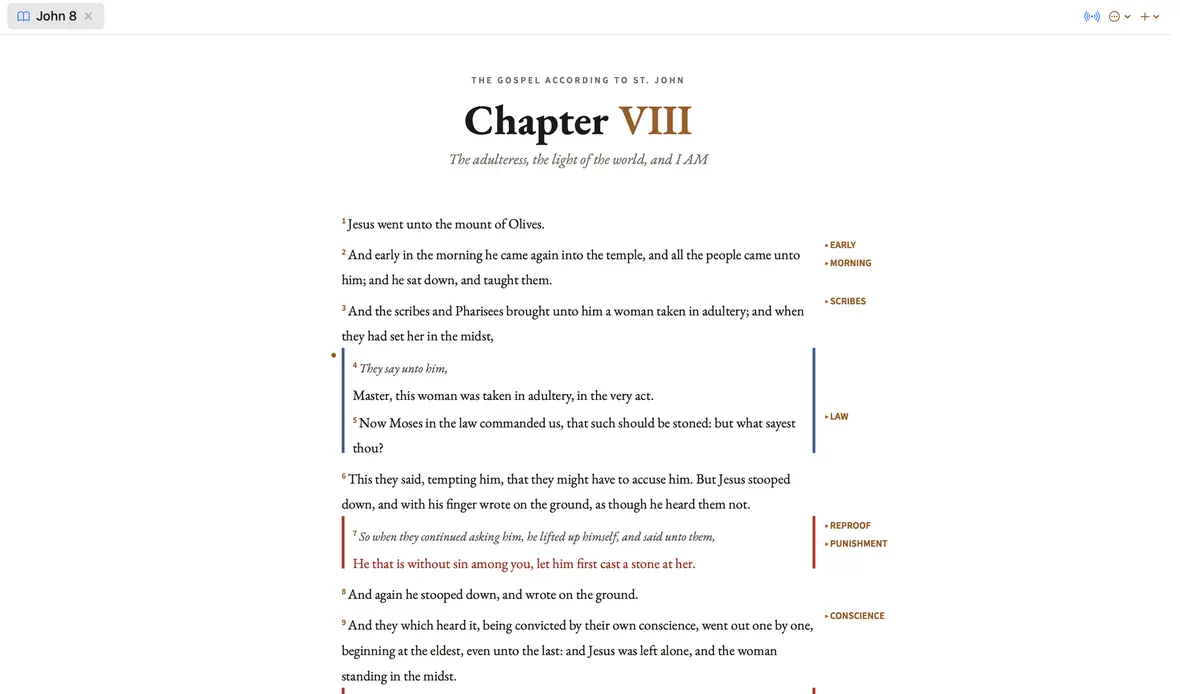
John 8
A real window, not a mockup. The app renders its own screenshots.
The dialogue format
Scripture is a conversation. It should look like one.
A wall of numbered verses hides who is speaking to whom. Wellspring gives every speaker a
labelled rail, sets poetry on its own lines, and prints the words of Christ in red, only
His, and only in the Gospels.
Speaker rails.Every line of dialogue is named and colour-coded, so a crowd scene reads like a script.
Poetry keeps its shape.Hebrew parallelism is set line by line instead of run together as prose.
2,295 quiet glosses.Where a word has drifted since 1611, the old sense sits in the margin.
Poetry keeps its lines · Psalm 23
1 The Lord is my shepherd;
I shall not want.
2 He maketh me to lie down in green pastures:
he leadeth me beside the still waters.
Hebrew parallelism is set line by line, the way a poem is set, instead of being run
together as prose. Topical chains run down the margin beside it.
▸ SHEPHERD▸ PROVIDENCE
The study loop
Twelve commentators, one verse-number away.
Click any verse number and your commentator answers right where you are reading.
Switch voices from a dropdown, or open all twelve side by side. Nothing scrolls away;
nothing loses your place.
Every reference is alive.All 199,869 commentary entries link every verse they mention — click one and the passage previews in place, stacked on what you were reading.
Copy with citation.Any commentary passage pastes into your notes as a quote block, attributed to its author and verse.
Back, like a browser.Follow a rabbit trail five jumps deep, then retrace it — back and forward arrows remember every verse you visited.
Commentary — Psalms 16:5
Barnes’ Notes ▾
The Lord is the portion of mine inheritance —
in contradistinction from idols. The word properly means “lot, portion, part;”
applicable to the portion of booty that fell to anyone; or to the portion of land
in the division of an estate, 2Ki 9:10,
2Ki 9:36-37…
2 KINGS 9:10
Open in Reader
And the dogs shall eat Jezebel in the portion of Jezreel, and there shall be
none to bury her…
Click a reference inside the note and the verse stacks on top — dismiss it and you are exactly where you were.
Reads like a scroll
Chapters flow continuously in both directions — read from Malachi back into Zechariah without turning a page.
Only who speaks here
The commentator dropdown lists just the voices with a note on that verse — and remembers your favorite.
Your type, everywhere
Pick a reading face — Georgia, EB Garamond, Palatino, Baskerville and more — and one size; every pane and popover follows.
Reverse interlinear · John 8:32
and
καί · G2532
the truth
ἀλήθεια · G225
shall
make
ἐλευθερόω
you
ὑμᾶς · G4771
free
G1659
One Greek word, split by English word order. The app shows both halves as one.
ἐλευθερόωeleutheroōG1659
Thayer's: to make free; set at liberty from the dominion of sin.
Original languages
Greek and Hebrew, a double-click away.
Double-click any English word and the original behind it appears, with every word sharing
that lemma illuminated across the verse. Because the alignment follows the KJV's own
renderings, what you see is the translators' actual base text, never a modern critical
edition swapped in behind their backs.
14,299
Strong's entries, with Thayer's and Brown-Driver-Briggs in full
313,270
tagged occurrences you can scope to any single book
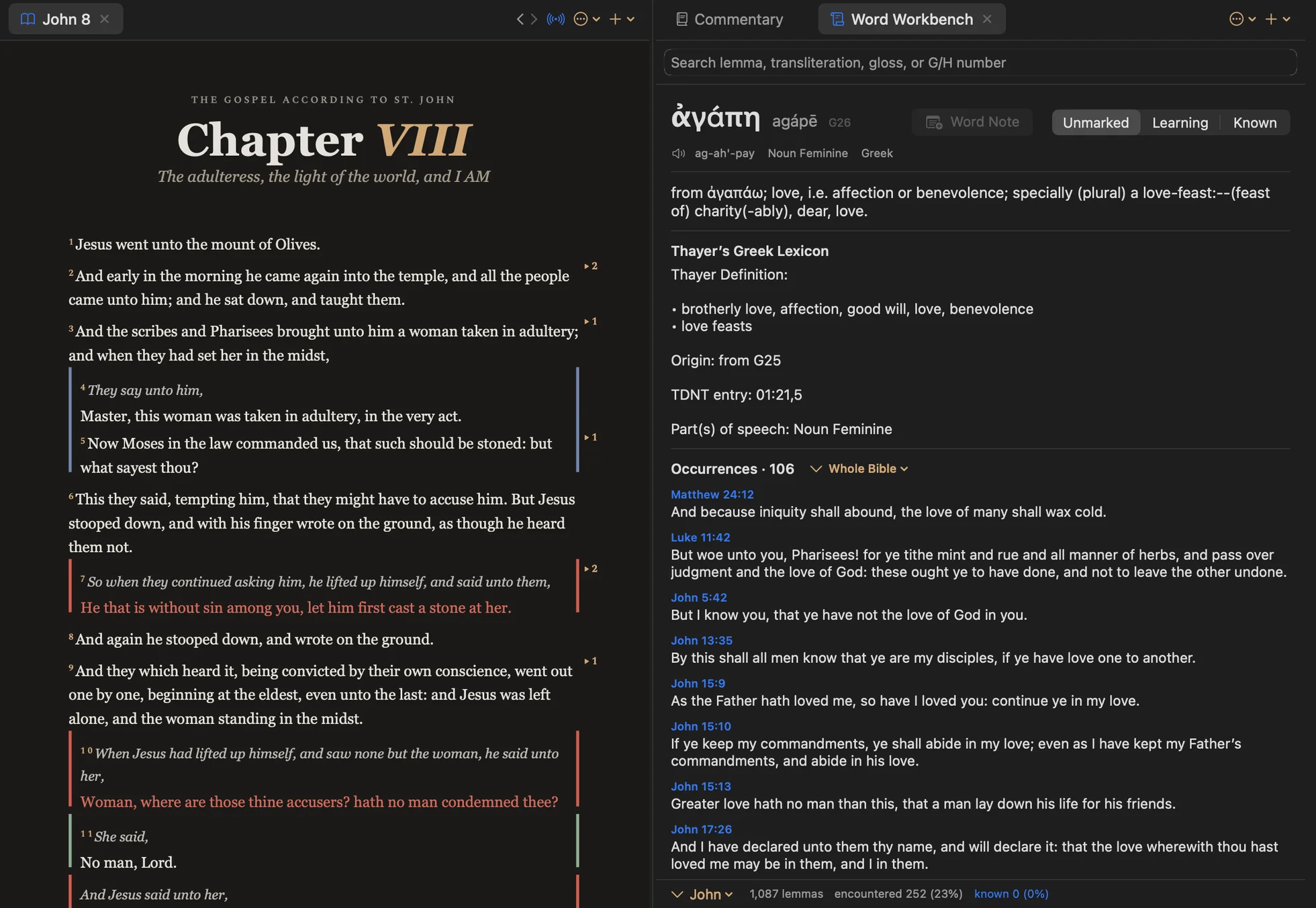
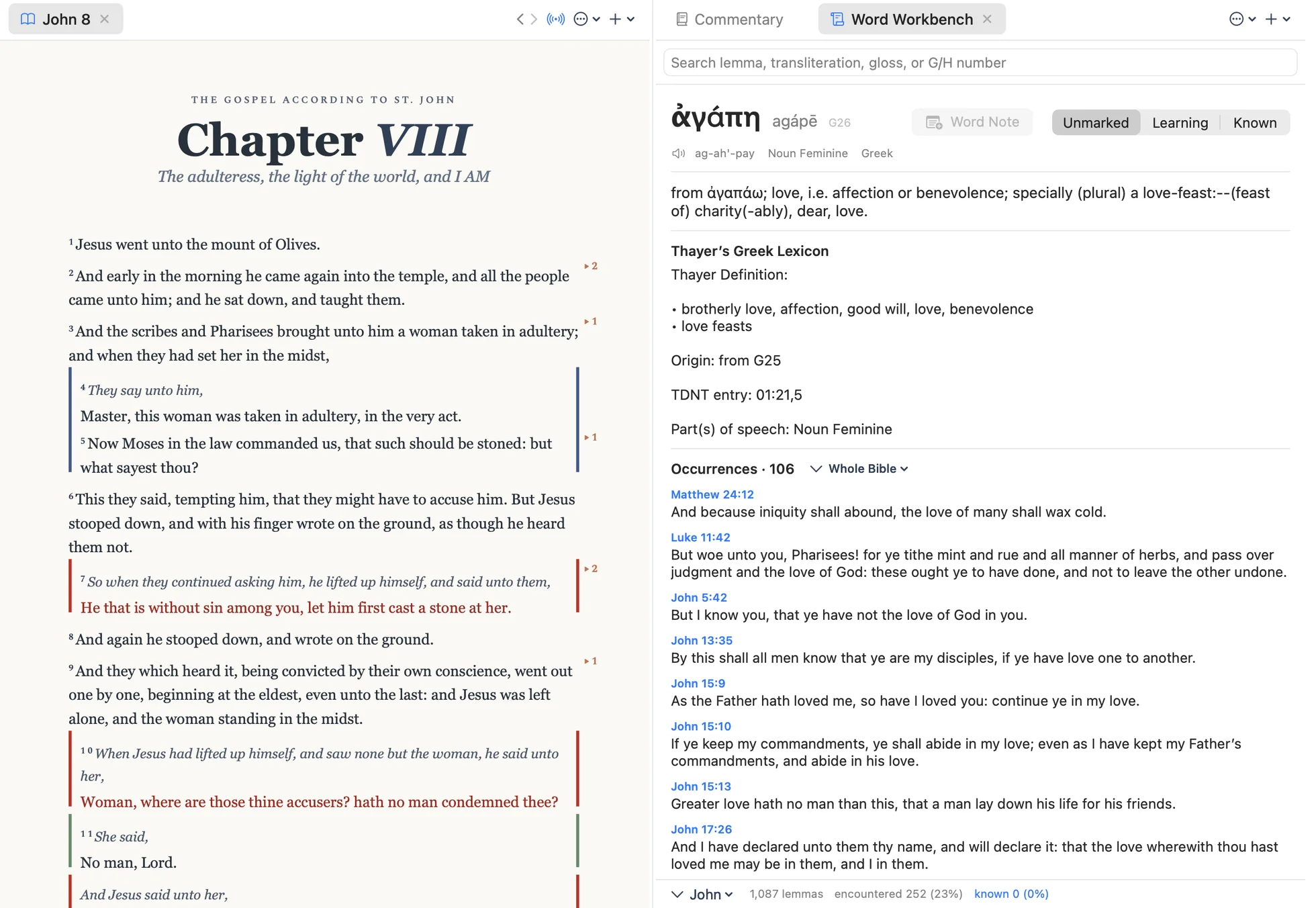
Word Workbench
The Word Workbench: the full lexicon article, then every occurrence, scoped to one book or the whole Bible.
Notes
A writing room, not a text box.
Write beside the passage in a quiet, centred column with the same typography as the text
you are studying. Reading mode hides the syntax so a finished note reads like a page,
not a draft.
·Your files, forever.Plain Markdown in a folder you choose, readable in any editor, app or no app.
·Tags and backlinks.Follow a theme across everything you have written.
·Today's Note.One keystroke captures a verse and a thought into a dated study log.
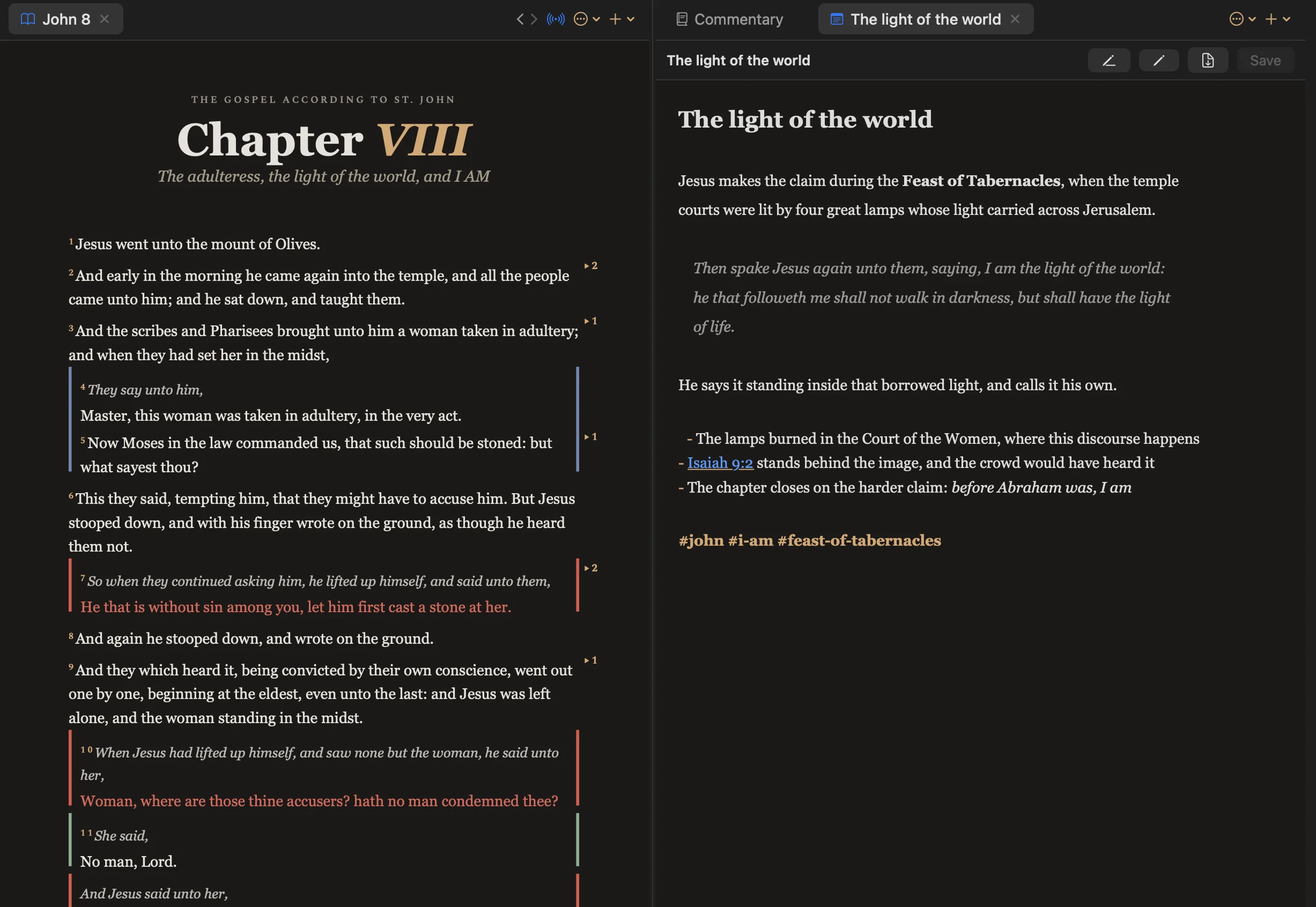
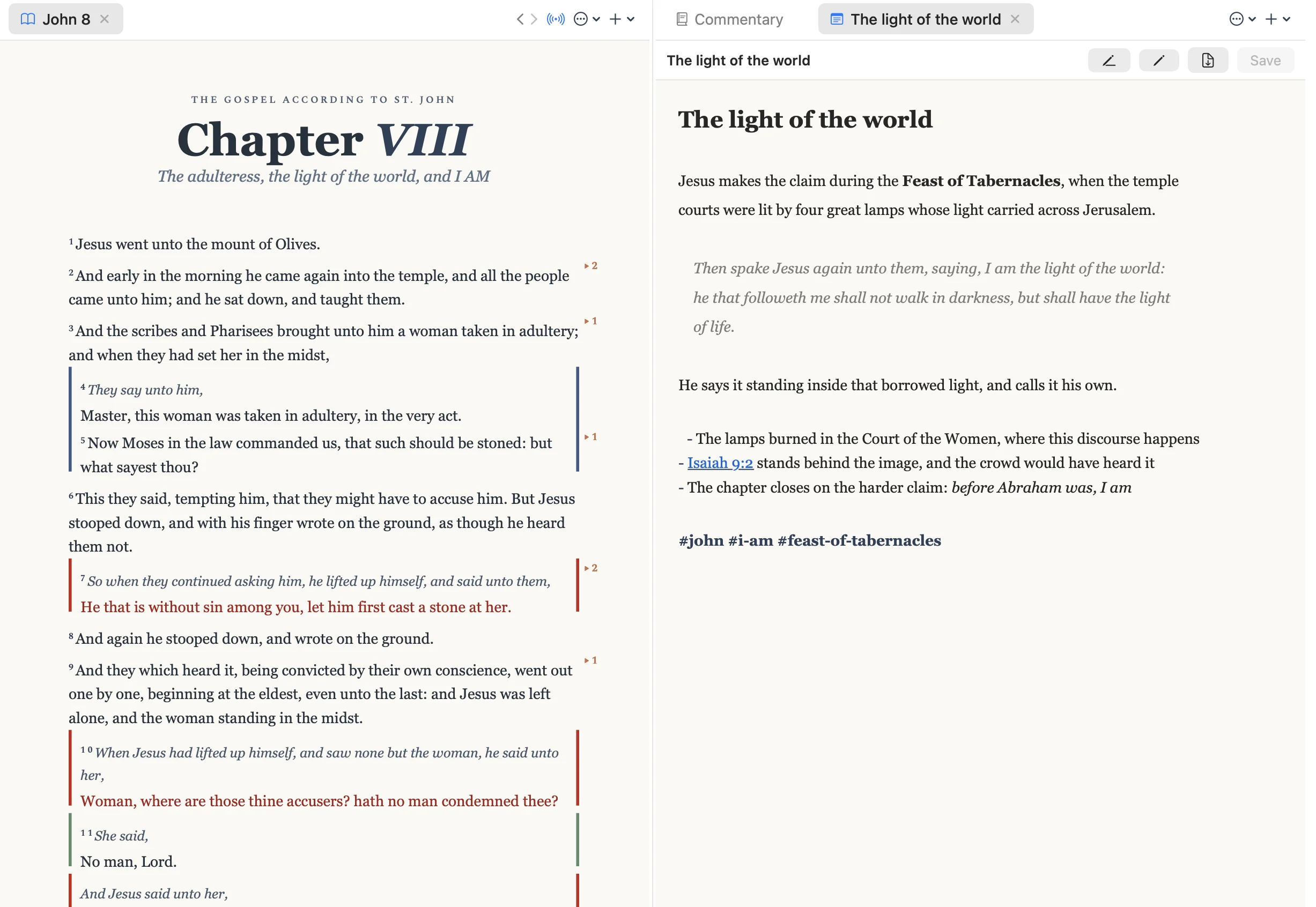
The light of the world
Reading mode hides the Markdown, and a reference like Isaiah 9:2 links itself back into the text.
Panes
One window, as many desks as the question needs.
Split the window however the study runs. Every module (Scripture, commentary,
dictionaries, the Atlas, notes, word study) opens in any pane, as a tab or a split, and
the arrangement is still there when you come back.
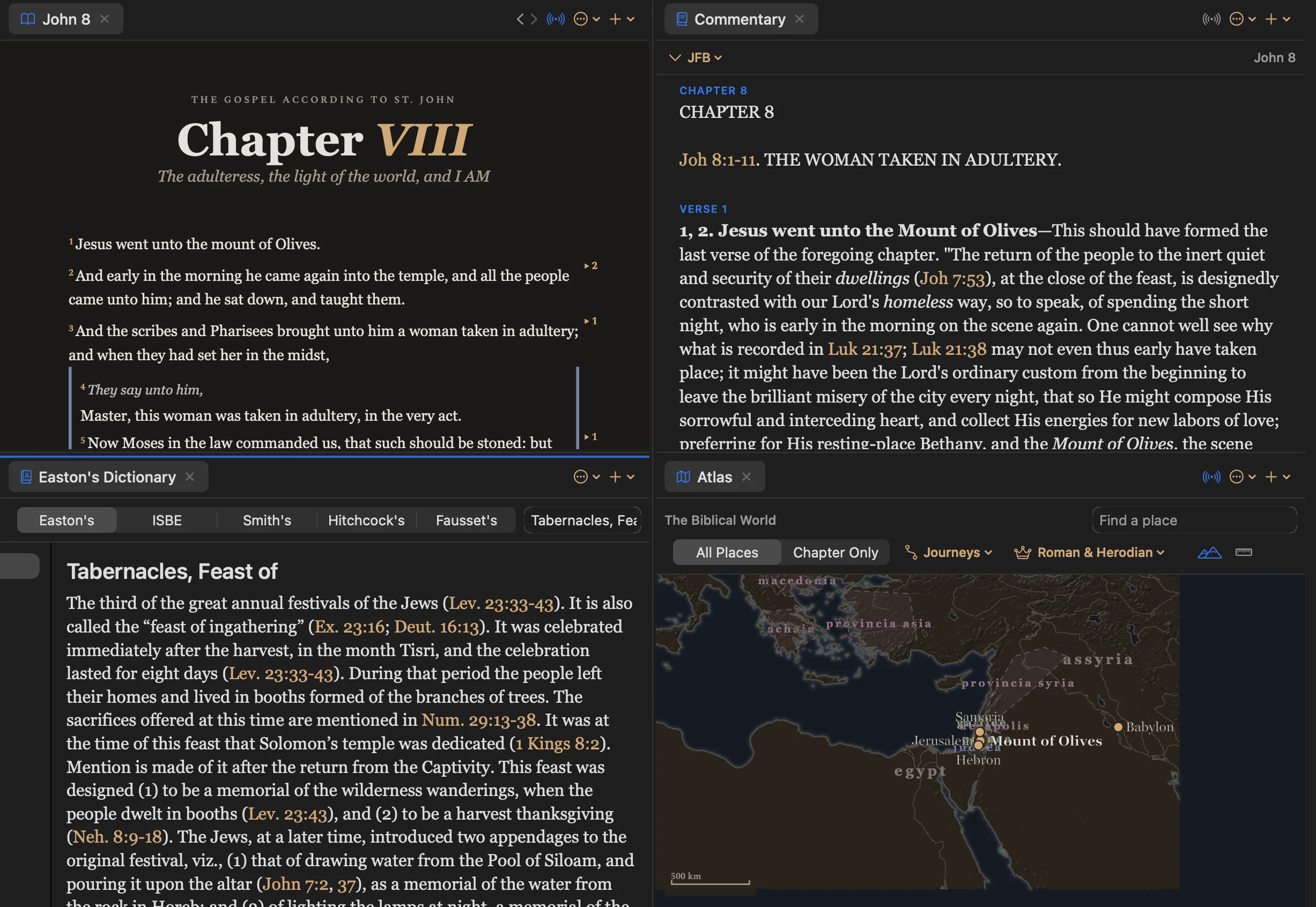
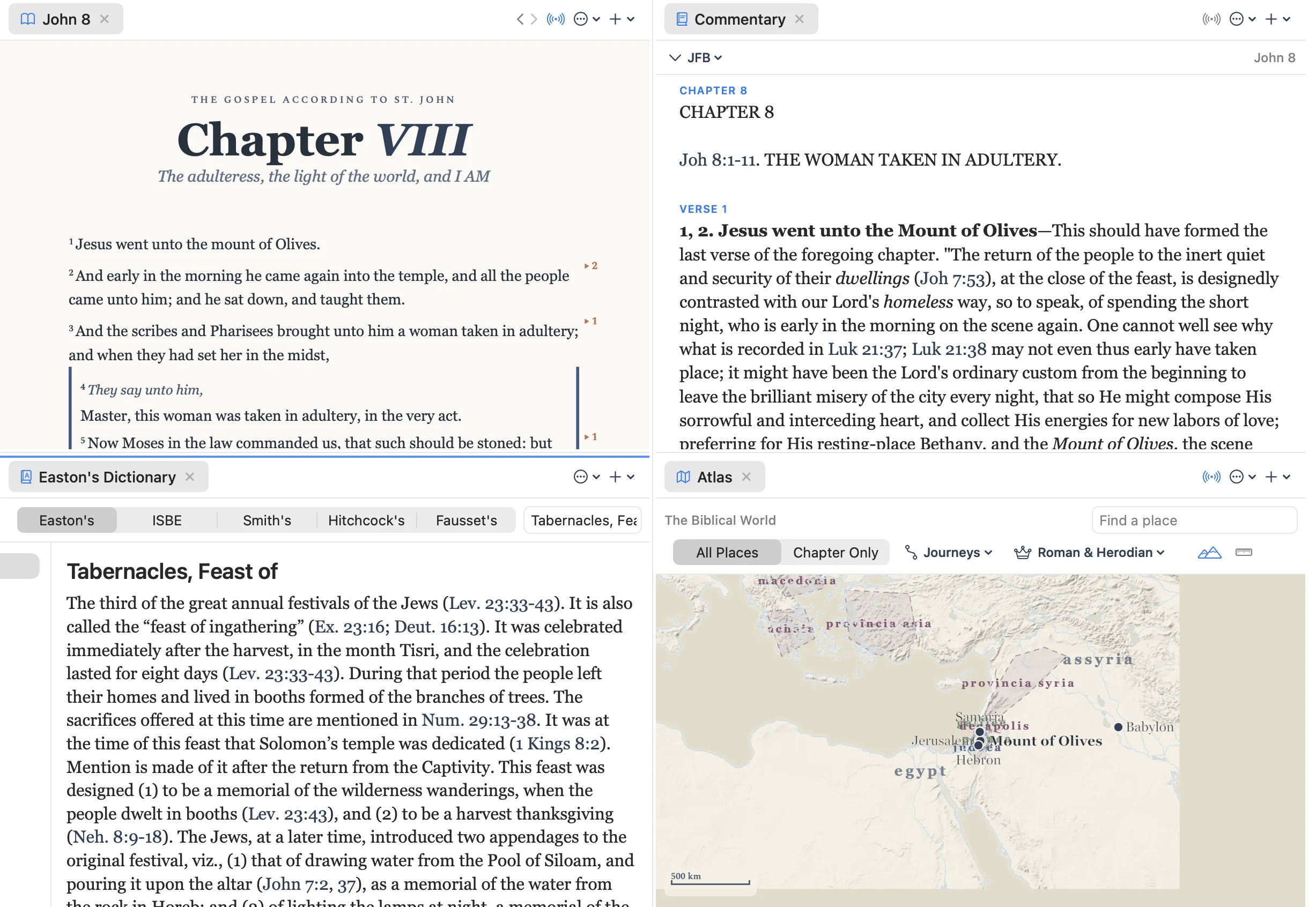
John 8 · four panes
One passage, four angles
Above: the chapter, Jamieson-Fausset-Brown on the same verses, Easton's on the feast it happens during, and the mount of Olives on the map.
Tabs where you want them
Drag a tab to any edge to split, or stack several in one pane and flip between them.
Panes follow the reader
Turn on sync and the commentary, map and notes all move with the chapter you are in.
The research desk
Everything else, already inside.
No connection, no account, no subscription. The whole library ships with the app.
Atlas
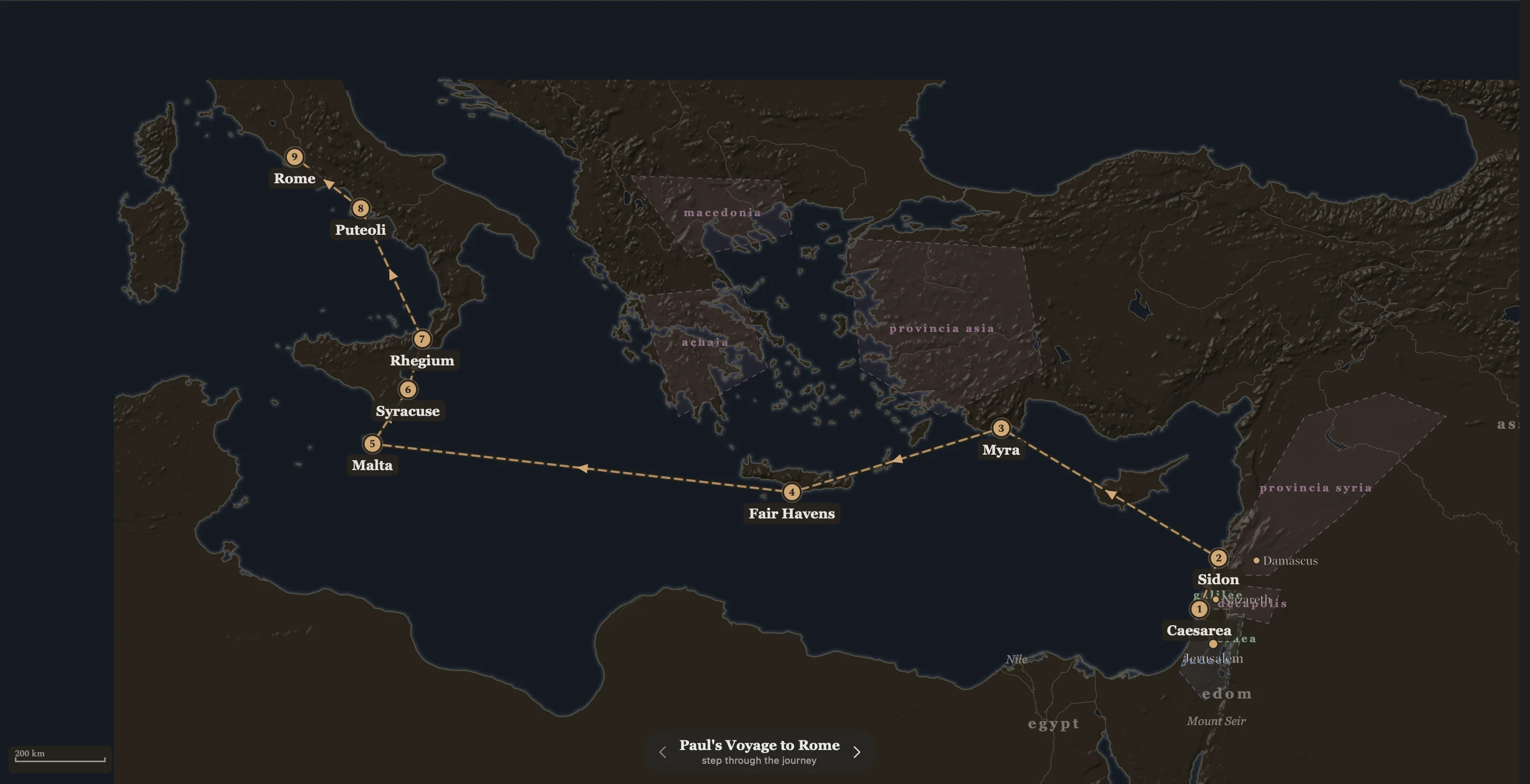
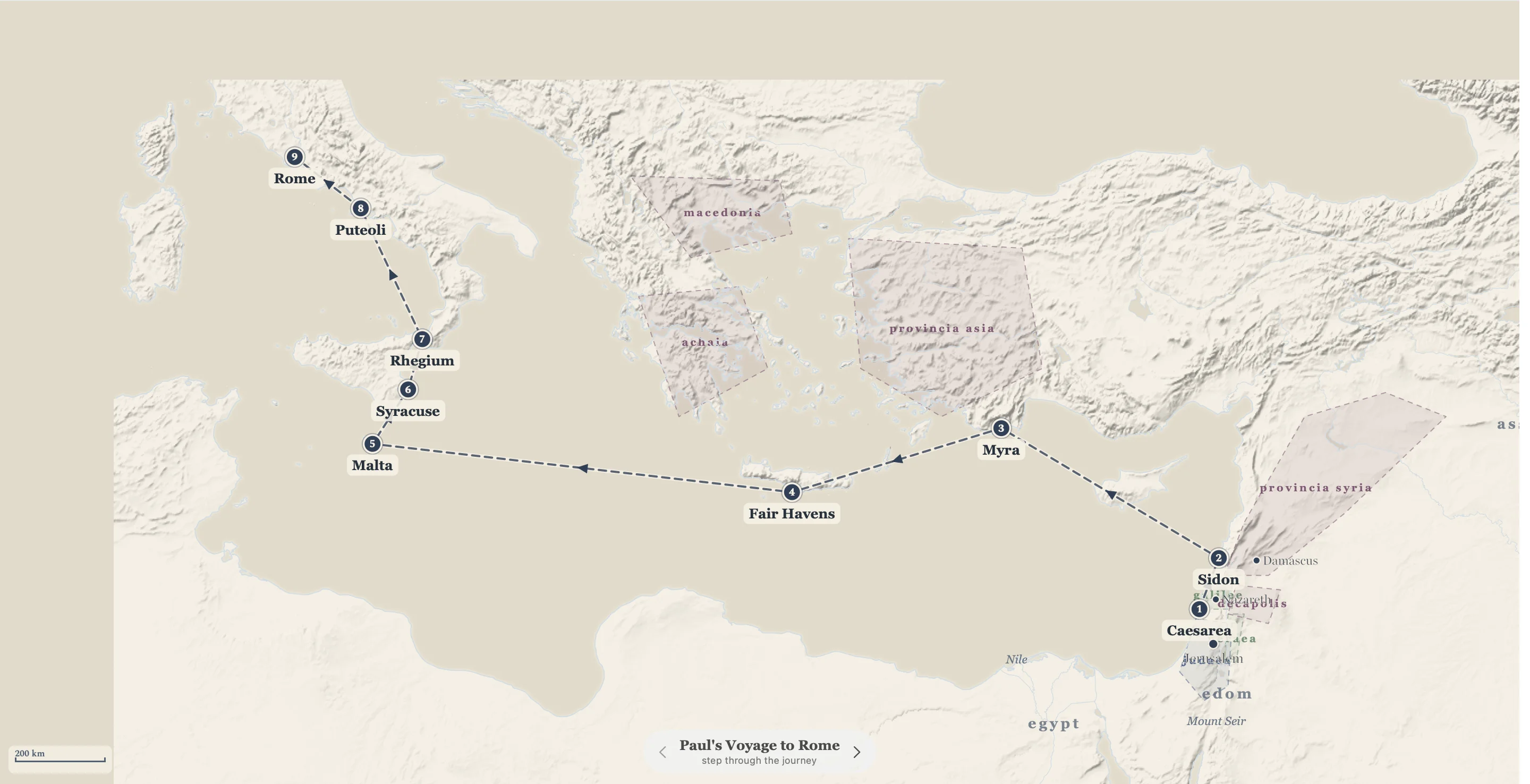
1,335 mapped places on a terrain basemap, with Paul's voyages, the Exodus, and five
historical eras overlaid. Journeys draw themselves stop by stop.
Eighteen commentaries
Henry, Barnes, Clarke, JFB, Wesley, Vincent and more, verse by verse. Gill, Calvin,
Poole, Scofield, the Geneva Bible Notes and others download in a click.
199,869 entries
Bible dictionaries
Easton's, Smith's, Fausset's, Hitchcock's and the ISBE, cross-linked to every verse they
cite.
24,612 articles
The classic library
Josephus and Foxe's Book of Martyrs ship with the app; Spurgeon's 63 volumes of sermons
download in a click.
3,541 sermons
Threads & cross-references
Walk a theme from Genesis to Revelation with thread tags in the margin, or follow the
Treasury of Scripture Knowledge out of any verse.
343,609 cross-references
People & places
Profiles for everyone and everywhere named in Scripture, each linked to every verse they
appear in.
3,085 people profiled
One-time purchase
$19 during launch — $59 after. No subscription, no account, and every update included.
Entirely offline
Nothing is sent anywhere and nothing is collected. No account, no telemetry, no subscription. The app talks to one address, only to check for updates.
Actively developed
Version 0.3.1, with releases shipping weekly. The built-in updater delivers each one quietly.
Signed & notarized
Apple-notarized, sandboxed, and quietly self-updating.
Read it closely.
One purchase, the whole desk — every commentary, lexicon, map and update included. $59$19 during launch